nohup vs tmux: how to keep a Python job running after SSH disconnects
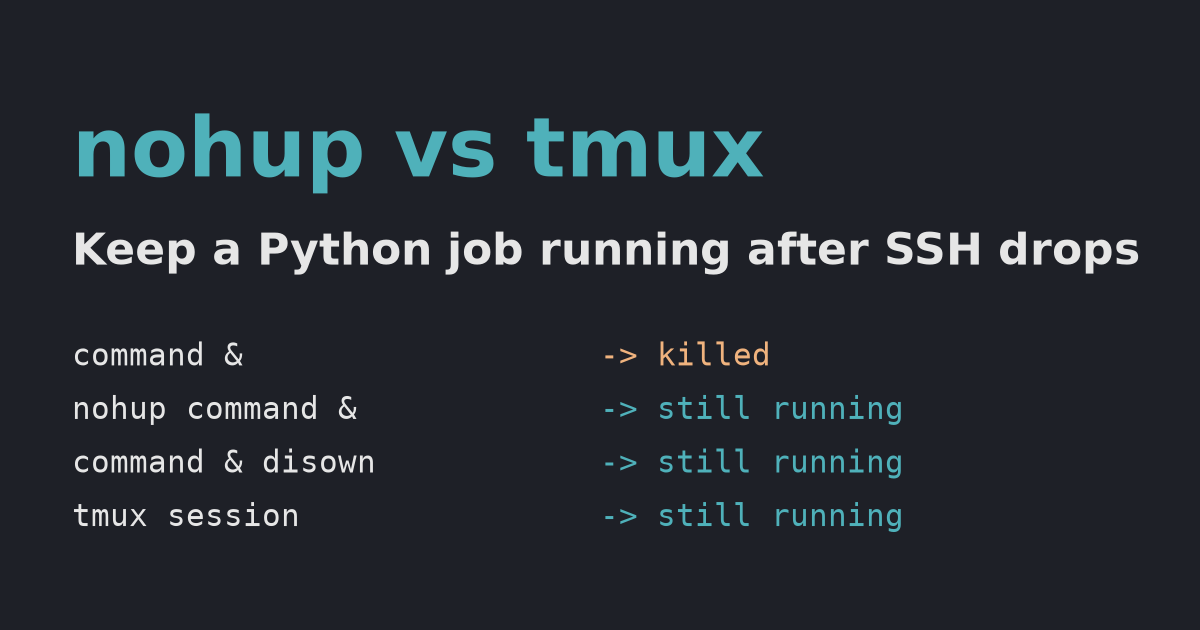
A dropped SSH connection sends SIGHUP to your jobs. We simulated one: a plain background job died, while nohup, disown and tmux kept running. Here is when to use each, and why a clean exit behaves differently.
TL;DR — When an SSH connection drops, the shell gets a hang-up signal (SIGHUP) and passes it to its jobs, which kills a plain python train.py &. Use nohup (or disown) for a fire-and-forget job with output in a log file. Use tmux when you want to come back later and see the live terminal. All three survived our simulated disconnect.
Tested on 2026-09-28 on macOS with bash 3.2.57, tmux 3.7c and Python 3.12. The signal behavior comes from bash itself and is described in the GNU Bash manual; it applies the same way on Linux servers.
Key points
SIGHUP(“hang up”) is the signal a shell receives when its terminal goes away. By default, it ends the process.- An interactive bash resends
SIGHUPto all its jobs before exiting. That’s what kills your background job. nohupmakes the command ignoreSIGHUP.disownremoves the job from the shell’s job list, so it never gets the signal.tmuxruns your program under its own server process, which is not attached to your SSH session at all.- A clean
exitis different from a dropped connection. With bash’s default settings, a plain background job survived a normalexit.
What happens to each method when SSH drops?
We started the same Python script (it prints a line every second) in four ways inside an interactive bash, then closed the terminal underneath it, which is what a dropped SSH connection does:
python3 job.py plain > plain.log 2>&1 &                        # 1. plain background job
nohup python3 job.py nohup > nohup.log 2>&1 &                  # 2. nohup
python3 job.py disown > disown.log 2>&1 & disown               # 3. background job, then disown
tmux new-session -d -s e9 "python3 job.py tmux > tmux.log 2>&1" # 4. inside a detached tmux session
Three seconds after the hangup:
plain   killed
nohup   still running
disown  still running
tmux    still running
| Method | Survives a dropped connection | Can you see live output later? | Typical use |
|---|---|---|---|
command & | No | Only if redirected to a file | Short jobs while you stay logged in |
nohup command > log 2>&1 & | Yes | Log file only | Long batch jobs, training runs |
command & disown | Yes | Log file only | You started a job and forgot nohup |
tmux session | Yes | Yes, reattach any time | Interactive work, watching progress bars |
We ran the test twice with the same result. The plain job’s log stopped at the moment of the hangup; the other three kept writing. The full test harness is at the end of this post.
Why did a plain background job survive when I typed exit?
Because a clean logout doesn’t send SIGHUP to jobs unless bash’s huponexit option is on, and it’s off by default. We repeated the experiment, but ended the session with exit instead of dropping the terminal:
huponexit      	off
plain job after a clean `exit`: still running
This is why “it worked yesterday” is not proof. The same python train.py & survives a deliberate exit but dies when Wi-Fi drops or the laptop goes to sleep. Use nohup, disown or tmux so it survives both.
How do you use nohup?
nohup python3 train.py > train.log 2>&1 &   # start; stdout and stderr go to train.log
tail -f train.log                           # watch the output (Ctrl+C stops watching, not the job)
pgrep -f train.py                           # find the process ID
pkill -f train.py                           # stop it
Always redirect output. Otherwise nohup writes to a file named nohup.out in the current directory. If you already started a job without nohup, run disown right after it (or disown %1 for job number 1).
How do you use tmux?
tmux new -s train          # start a session named "train"
python3 train.py           # run your job as usual
# press Ctrl+b, then d     # detach: the session keeps running
tmux ls                    # later, even from a new SSH login: list sessions
tmux attach -t train       # reattach and see the live terminal
tmux kill-session -t train # remove the session when done
In our test, tmux ls still listed the session after the original terminal was gone:
e9: 1 windows (created Mon Sep 28 18:36:47 2026)
(The attach and detach steps above are standard tmux usage; our automated test used tmux new-session -d instead of typing Ctrl+b d.)
Common mistakes
- Relying on
&alone. It survives a cleanexit, but not a dropped connection. - Forgetting
2>&1. Errors then go to the terminal, which no longer exists, and you lose the traceback. - Starting tmux on your laptop instead of the server. tmux must run on the machine where the job runs.
- Killing with
ps | grep.grepalso matches itself. Usepgrep -fandpkill -finstead.
The test harness (Python, macOS/Linux)
# job.py
import sys, time
for i in range(60):
    print(f"{sys.argv[1]} step {i}", flush=True)
    time.sleep(1)
# setup.sh
export PATH=/opt/homebrew/bin:$PATH
python3 job.py plain > plain.log 2>&1 & echo $! > plain.pid
nohup python3 job.py nohup > nohup.log 2>&1 & echo $! > nohup.pid
python3 job.py disown > disown.log 2>&1 & echo $! > disown.pid; disown
tmux new-session -d -s e9 "python3 job.py tmux > tmux.log 2>&1"
sleep 1; tmux list-panes -t e9 -F '#{pane_pid}' > tmux.pid
# hangup_test.py: runs setup.sh in an interactive bash on a pseudo-terminal, then closes the terminal
import os, pty, time
W = os.path.dirname(os.path.abspath(__file__))
pid, fd = pty.fork()
if pid == 0:
    os.chdir(W)
    os.execvp("bash", ["bash", "--norc", "--noprofile", "-i"])
time.sleep(1.5)                          # let the shell start
os.write(fd, b"source setup.sh\n")
time.sleep(5)
os.close(fd)                             # the terminal goes away, like a dropped SSH connection
time.sleep(3)
for name in ["plain", "nohup", "disown", "tmux"]:
    p = int(open(f"{W}/{name}.pid").read().strip())
    try:
        os.kill(p, 0); state = "still running"
    except ProcessLookupError:
        state = "killed"
    print(f"{name:<7} {state}")
Sources
- GNU Bash manual: Signals — “an interactive shell resends the SIGHUP to all jobs”,
disown,huponexit, checked 2026-09-28 - nohup(1) man page
- tmux: Getting Started
Related: Nohup 사용법 — log redirection and a kill script (in Korean)