Orca review: Claude Code and Codex side by side, and one agent handing work to the other
A hands-on look at Orca, an open-source desktop app for running CLI coding agents side by side. What it does, how its orchestration commands let Claude Code hand a code review to Codex, what that review found, and the one setting to check before you rely on it.
Orca is an open-source (MIT) desktop app for running several CLI coding agents at once. Its README lists Codex, Claude Code, OpenCode and Pi, on macOS, Windows and Linux, and each agent runs with your own subscription. Orca does not ask for an API key.
Most of its features are about running agents in parallel. The one this post looks at is smaller: the orca command line lets one agent hand a task to another and wait for the answer. I used it to have Claude Code send a read-only code review to Codex, a coding agent from a different vendor, so that the same code is checked by a different model.
Tested on 2026-10-20 with Orca 1.4.220 on macOS, Claude Code 2.1.304 and Codex CLI 0.162.1. The latest Orca release at the time was 1.4.230 (2026-10-19). Repository facts as of 2026-10-20.
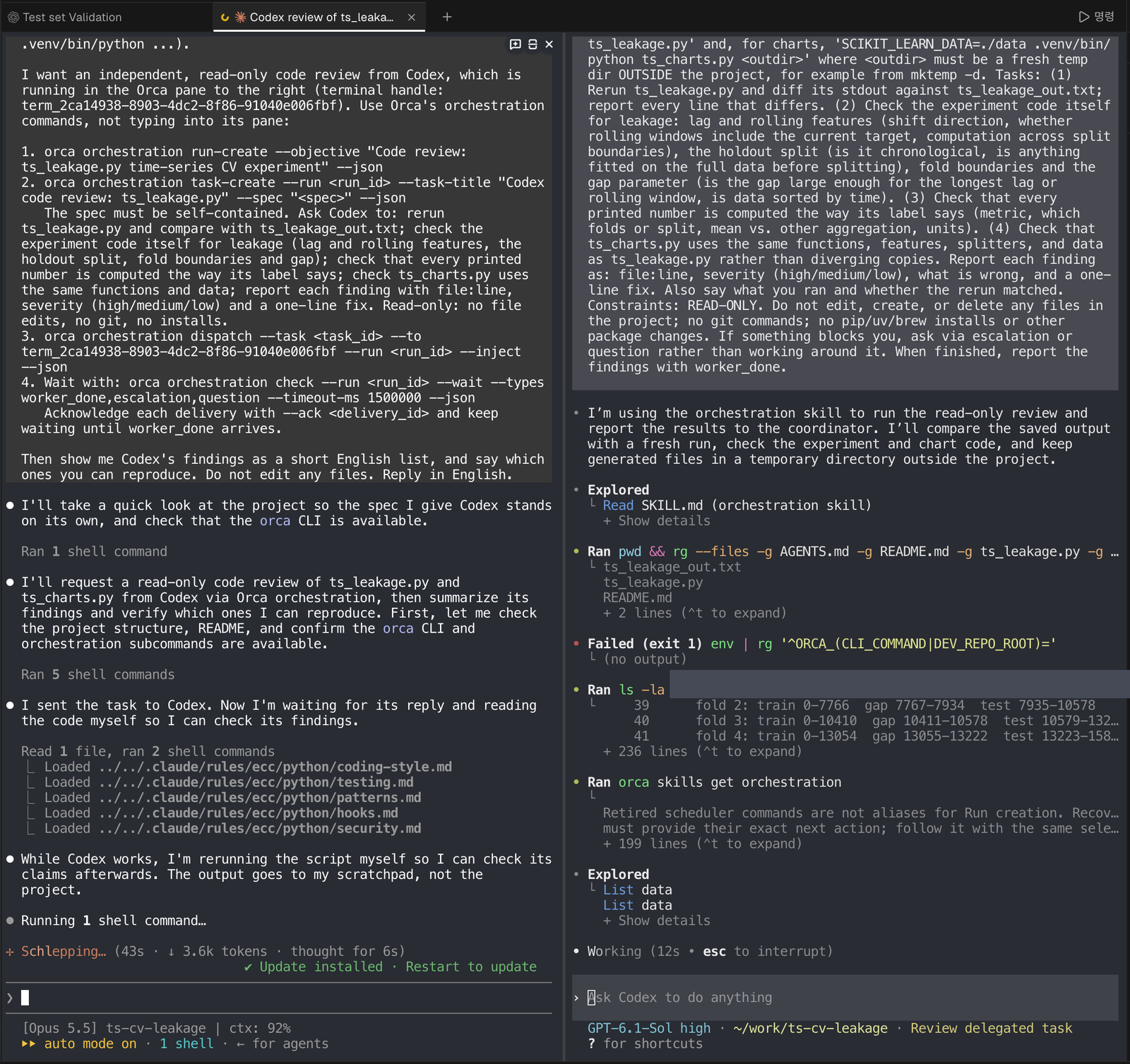
The tab right after the hand-off. Left: Claude Code with the instruction I gave it and its first steps. Right: Codex has received the task, is reading Orca’s orchestration guide and starts on the project files. One line with local paths is redacted.
What Orca gives you
| Feature | What it does | Used here |
|---|---|---|
| Terminal splits | Several agents in one window, one pane each | Yes |
| Orchestration CLI | orca orchestration ...: runs, tasks, dispatches, messages between panes | Yes |
| Agents panel | Every running agent as a card, grouped by state | Yes |
| Parallel worktrees | One prompt to several agents, each in its own git worktree | No |
| Mobile companion | Watch and answer agents from a phone | No |
| Design Mode, GitHub/Linear, SSH worktrees | Browser element picking, issue boards, remote machines | No |
The rows marked “No” come from the README; I did not test them.
The setup: two panes, one folder
The folder held a small scikit-learn experiment: ts_leakage.py compares shuffled KFold, KFold and TimeSeriesSplit on hourly bike-sharing data, ts_charts.py draws its charts, and ts_leakage_out.txt is a saved run. I opened a new Orca tab in that folder, started claude in it, split the tab to the right and started codex. The same split works from the command line:
orca terminal split --terminal <claude-pane-handle> --command "codex"
Every pane has a handle (term_..., listed by orca terminal list). The handle is how one agent addresses another.
The hand-off: a run, a task, a dispatch
Orca’s orchestration layer has three objects. A run groups one piece of coordinated work. A task is the work itself, written as a self-contained instruction. A dispatch sends a task to one terminal. Claude Code ran these from its own pane:
orca orchestration run-create --objective "Code review: ts_leakage.py time-series CV experiment" --json
orca orchestration task-create --run run_c0665c6e6845 --task-title "Codex code review: ts_leakage.py" \
  --spec "READ-ONLY code review. ... (1) Rerun ts_leakage.py and diff its stdout against ts_leakage_out.txt ..." --json
orca orchestration dispatch --task task_6508bc75dd09 --to term_2ca14938-... --run run_c0665c6e6845 --inject --json
--inject types the task into the Codex prompt, so Codex starts working without anyone switching panes. The spec Claude Code wrote had four checks: rerun the script and diff the output, look for leakage in the lag and rolling features and the splits, confirm every printed number is computed the way its label says, and confirm the chart script reuses the same functions. It also set the rules: no edits, no git, no installs, and report each finding with file:line, a severity and a one-line fix.
The task is stored with the run, so the full instruction can be read back later:
$ orca orchestration task-list --run run_c0665c6e6845
task_6508bc75dd09 [dispatched] Codex code review: ts_leakage.py -> term_2ca14938-... (ctx_995037d2fd51)
Keeping track: the agents panel
While the two agents worked, Orca’s agents panel showed both of them as cards. The panel groups agents into three columns, which my Korean-language interface labels “needs attention”, “working” and “done”. Each card shows the latest prompt or message in that pane, so you can see at a glance which agent is still busy without switching tabs.
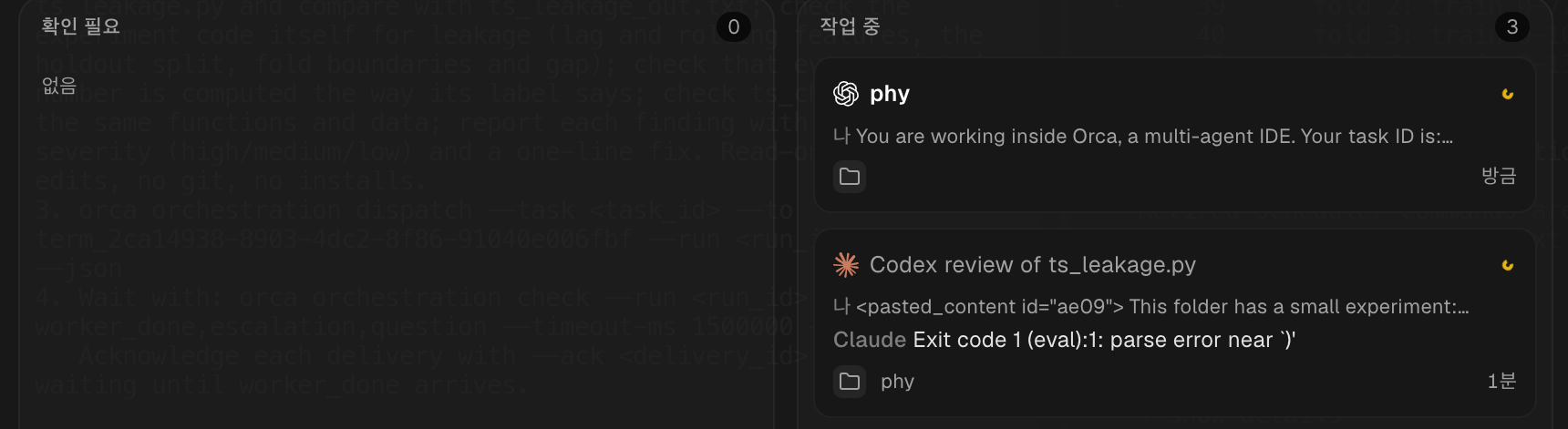
The agents panel during the review, cropped to the two cards from this session. The interface language is Korean.
What Codex found
Codex worked for 4 minutes 29 seconds. It reran both scripts, and all 41 lines of output matched the saved run byte for byte. It checked that every lag looks backward, that no model or scaler is fitted before the split, and that gap=168 covers the longest lag. Then it listed four findings:
| Where | Severity | Finding |
|---|---|---|
ts_leakage.py:34, 74 | medium | Test rows use earlier true test values through lag_1 (1,343 of 1,344 holdout rows). Fine for one-step-ahead evaluation, a leak if the whole block is forecast at once. The protocol should be stated. |
ts_leakage.py:56, ts_charts.py:42, 82 | low | “8 weeks” is 1,344 rows that span 1,348 hours, because four hours are missing from the data. |
ts_leakage.py:72-74 | low | Rolling features are computed after the first 168 rows are dropped, which leaves 2 and 3 avoidable empty values. |
ts_leakage.py:85-91 | low | The lag-timing check counts all eligible rows; over the rows the model uses, lag_24 is exact in 90.9% instead of 90.2%. |
I reran each claim in the same environment and all four held. None of them changes a result: the first two were already stated in the post that uses this experiment, and the last two are labelling details. Even so, this is the kind of check that a quick reread of your own code tends to skip.
Waiting for the answer
The coordinating agent collects the result from the run’s mailbox:
orca orchestration check --run <run_id> --wait --types "worker_done,escalation,question" --timeout-ms 1500000 --json
The worker sends a heartbeat while it works and one worker_done message with the outcome at the end. After each message the coordinator acknowledges it (check --ack <delivery_id>) and waits for the next.
Before you rely on it: let the worker reach Orca
The worker reports back by running orca commands itself, and Codex runs commands inside a sandbox. With Codex’s default approval settings it asks before running them. Answer “Yes”, or pick “don’t ask again for commands that start with orca orchestration”. If approval prompts are turned off, the sandbox blocks the command, the report never reaches the coordinator and the task stays dispatched. Check this setting before you leave a long review running.
What works well
- No extra keys or billing. Both agents run on their own subscriptions inside ordinary terminals.
- A written spec.
task-createpushes you to state the target, the constraints and what a finished answer looks like. That made the review sharper than a quick “can you check this?” typed into the other pane. - A record. The run, the task and its full spec stay queryable with
run-showandtask-list. - A second model. Claude Code wrote the experiment; Codex, from a different vendor, read it without the first agent’s assumptions.
Where it still needs a human
- Judgement. The reviewer flags; it does not decide. Every finding above had to be rerun before I trusted it.
- Clean-up depends on who opened the pane.
orca orchestration worker-releaseleaves a pane you opened by hand running ("reason": "no_owned_resource"). A worker started withorca orchestration worker-startbelongs to the run and can be released by it.
Verdict
For a quick question, typing into the second agent’s pane is enough. Orca’s orchestration commands pay off when you want the hand-off written down: a self-contained spec, a review that reruns the code, and a record you can look up later. Here that took one tab, two agents and under five minutes of review time, with no API key involved.
Related: Why fit preprocessing on training data only? A data leakage demo · How do you evaluate LLM answers? Exact match vs key facts vs LLM-as-judge